

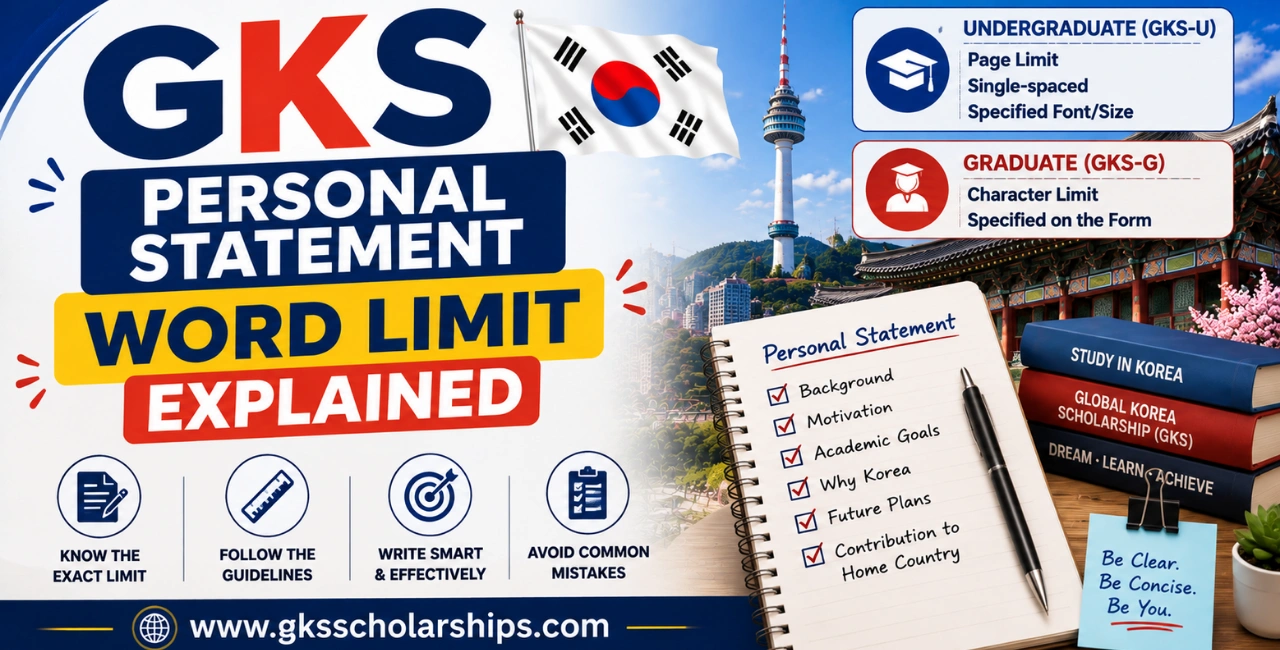
Quick answer: There isn’t one official word count that applies to every GKS applicant. The actual forms set a page limit (undergraduate) or a character limit (graduate), not a word count — “around 1,000 words” is a widely used estimate, not a rule printed on the document itself.
That distinction matters more than it sounds, so this page breaks down what’s actually specified, where the 1,000-word figure comes from, and how to measure your draft against the real limit.
If you’re looking for a fast answer, here it is:
- There is no single official GKS Personal Statement word limit.
- GKS Graduate (GKS-G) generally specifies a character limit on the official Form 2.
- GKS Undergraduate (GKS-U) generally specifies a page limit together with formatting requirements.
- The commonly mentioned 1,000-word recommendation is only a practical estimate used by many guides. The official Form 2 for your application cycle always takes priority.
Always check the latest application forms before submitting your Personal Statement.
For everything else about formatting this document, the Personal Statement Format guide covers layout, fonts, and structure in full.
Why There’s No Single “Word Limit”
NIIED’s official Form 2 template doesn’t ask you to hit a specific word count. It constrains length a different way, and that way changes by track:
- Undergraduate applicants (GKS-U): typically limited to a set number of pages, single-spaced, in a specified font size
- Graduate applicants (GKS-G): typically limited by a character count, specified directly on the form
Word count only enters the picture as a rough conversion — a way to estimate roughly how much you can say before you run out of space, not the actual constraint NIIED enforces.
Undergraduate vs. Graduate: What’s Actually Specified
Quick reference:
| Track | How Length Is Measured | What to Check |
|---|---|---|
| Undergraduate (GKS-U) | Page limit, single-spaced, with a specified font and font size. | Check the exact page limit and font requirements printed on your admission cycle’s Form 2. |
| Graduate (GKS-G) | Character limit, as specified on the application form. | Check the exact character limit printed on your admission cycle’s Form 2, as it may change from one cycle to another. |
Because both of these numbers are set directly on the official form and can shift between cycles, the specific figures aren’t reproduced here — see the Official Document section below for where to find the current version.
Where the “1,000 Words” Estimate Comes From
Most independent GKS guides, including ones on this site, use “around 1,000 words” as a working target. It’s not wrong, exactly — it’s a reasonable estimate of what a typical page or character allowance converts to in English prose.
But it’s an estimate, not the rule itself. If your form’s actual limit converts to closer to 800 words or 1,200 words once you measure it directly, that number should guide you, not the general estimate.
Treat “1,000 words” as a planning target while you draft, then verify against your specific form’s real limit before you finalize.
Approximate Character-to-Word Conversion
If your form specifies a character limit but you’re writing in Microsoft Word or Google Docs, this rough conversion can help during drafting.
| Characters | Approximate Words |
|---|---|
| 2,000 | 330–380 |
| 3,000 | 500–600 |
| 4,000 | 650–750 |
| 5,000 | 800–950 |
| 6,000 | 950–1,100 |
These figures are only estimates. The official character or page limit shown on your current GKS application form should always be treated as the final requirement.
How to Measure Against the Real Limit
- Open your current cycle’s Form 2 and find the stated limit — page count for undergraduate, character count for graduate.
- If it’s a page limit, draft in the same font, size, and spacing the form specifies, then check your actual page count in that format — not a generic word count estimate.
- If it’s a character limit, use your word processor’s character count tool (most include one alongside word count), not the word count alone.
- If you’re typing directly into an online application field, many systems show a live character counter and will stop accepting input past the limit — use that as your real-time check.
- If you’re uploading a separate document, double-check that your formatting matches what the form specifies, since a page limit measured in a different font or spacing can be misleading.
How to Check Character Count
Most applicants use Microsoft Word or Google Docs to prepare their Personal Statement.
Microsoft Word
- Open your document.
- Select Review.
- Click Word Count.
- Check the Characters (with spaces) value if your application uses a character limit.
Google Docs
- Open your document.
- Click Tools.
- Select Word Count.
- View both the word count and character count before submitting.
Checking the character count before your final review helps prevent unnecessary editing after you’ve completed the document.
What Happens If You Go Over
If you’re typing directly into an online field with a character cap, the system typically won’t accept text beyond the limit — you’ll simply be unable to type further, which is a hard stop rather than a soft guideline.
If you’re uploading a formatted document against a stated page limit, going over isn’t automatically rejected by the system, but it does deviate from the instructions — and a document that ignores a clearly stated limit can read as careless before a reviewer even reaches your writing.
Either way, going over doesn’t buy you anything. The strongest statements tend to use the space efficiently, not maximize it.
Important
Do not rely on last year’s limits.
NIIED may revise the application forms between admission cycles. Always download the latest Form 2 from the official Study in Korea website and confirm the current page or character limit before finalizing your Personal Statement.
Official GKS Personal Statement Form
The official Personal Statement template is published every year by NIIED as Form 2 within the official GKS application package.
It contains:
- The official formatting instructions.
- The current page or character limit.
- Applicant information fields.
- Instructional text that must be removed before submission.
Because NIIED updates these documents periodically, avoid downloading copies from third-party websites or older application cycles.
Common Mistakes
Treating “1,000 words” as an official rule. It’s a planning estimate. The number that actually matters is whatever your current form specifies.
Measuring in word count when the form specifies characters. These aren’t interchangeable — a dense, short-sentence style can run far more characters per word than a looser one, so relying on word count alone can leave you well over or under the real limit.
Applying undergraduate rules to a graduate application, or vice versa. The two tracks measure length differently. Don’t assume your friend’s undergraduate word target applies to your graduate character limit, or the reverse.
Reusing last cycle’s number. Limits are set on the form itself and can change between years — always check your current cycle’s version rather than a saved reference from a previous application.
Padding to reach a target instead of writing to the space you actually have. A statement written to hit “1,000 words” regardless of what the real form allows can end up too long for the actual field or page limit.
Final Length Checklist
Before submitting your Personal Statement, confirm that:
✅ You downloaded the latest official Form 2.
✅ Your document follows the correct page or character limit.
✅ You removed all instructional text.
✅ You checked both the word count and the character count.
✅ Your formatting matches the official template.
✅ Your final version fits comfortably within the allowed space.
Continue Your GKS Preparation
- GKS Personal Statement Format Guide — layout, fonts, and structure beyond just length
- GKS Personal Statement Guide — what to actually write within whatever space you have
- GKS Study Plan Guide — the companion document, with its own separate length expectations
- GKS Interview Guide — your next step once both documents are finalized
